ChatGPT App Walkthrough: Spotify
Spotify was one of OpenAI’s first ChatGPT App partners, launching on October 6th with the snappy tagline: 'Your Prompts, Spotify's Personalized Picks: Introducing Spotify in ChatGPT.'
In this post, we'll walk through how the Spotify ChatGPT App works, what it can and can’t do yet, and where this kind of integration might go next.
Getting Started: Connecting Spotify to ChatGPT
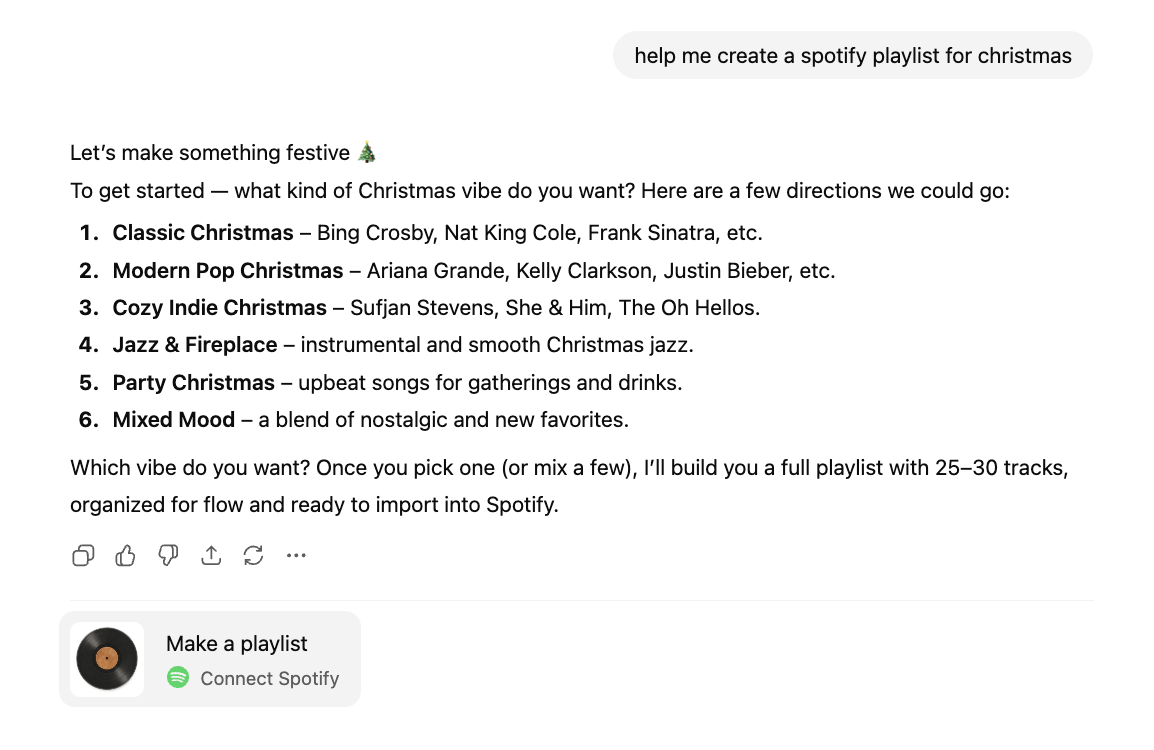
Before you link your account, ChatGPT will occasionally suggest connecting Spotify whenever it detects a music-related request:
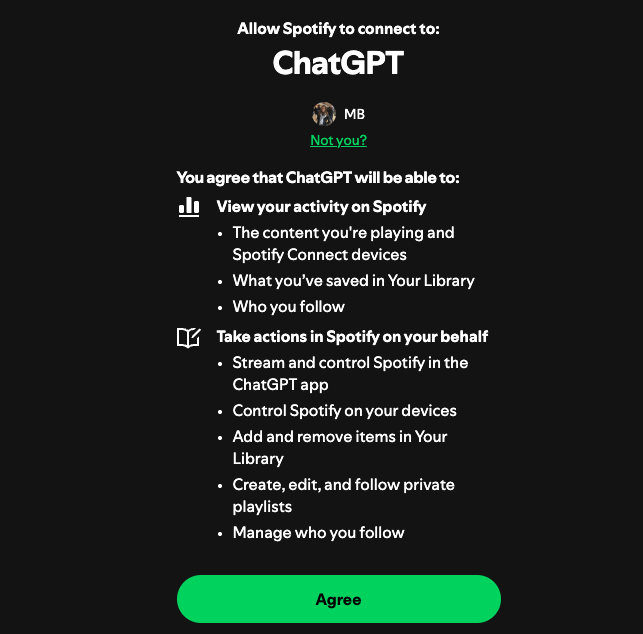
This requires giving ChatGPT broad control over Spotify, including managing most aspects of your account:
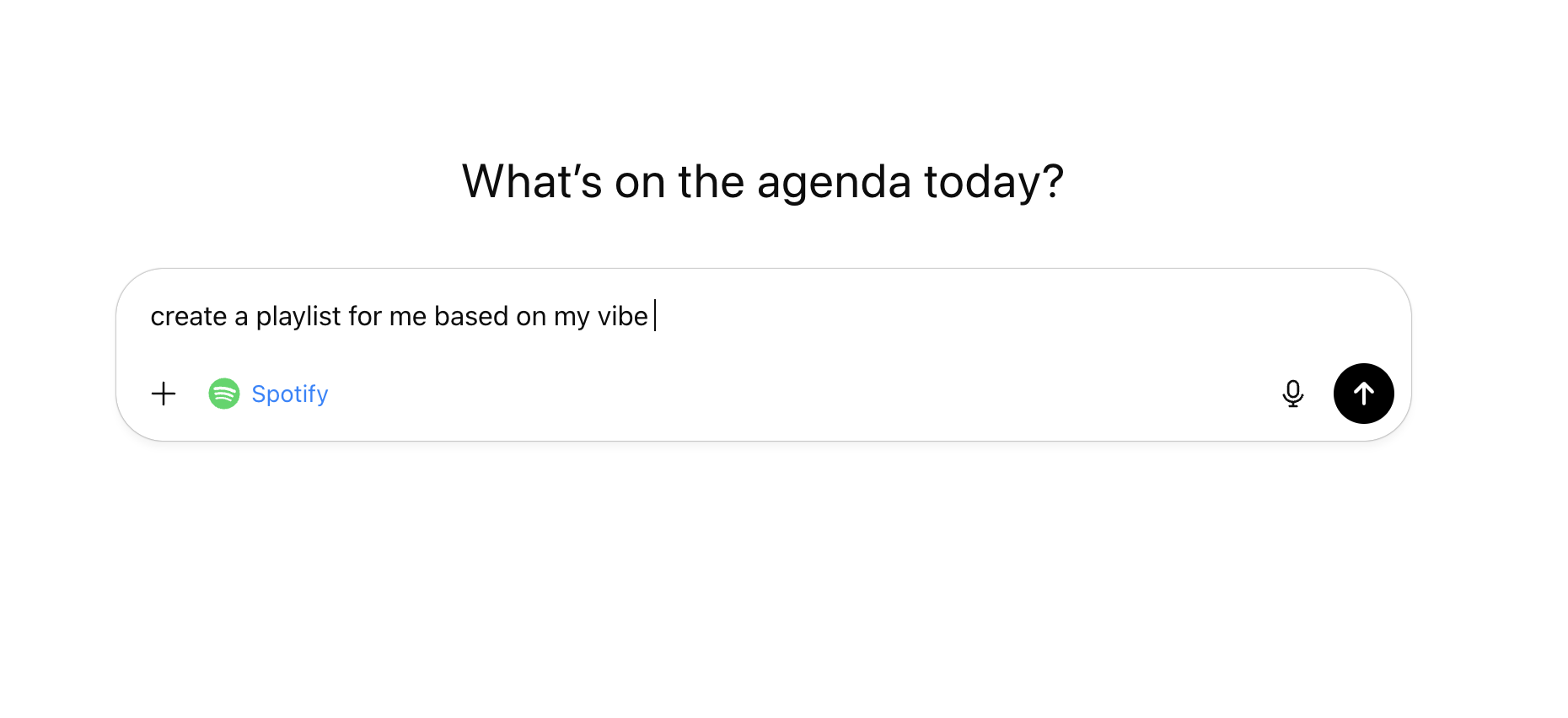
Once connected, you can either tag @Spotify directly or just describe what you want. If the app isn't tagged, ChatGPT decides when to use the Spotify app dynamically.
From there, everything happens through a single UI element: a clean list of songs, albums, or playlists that you can open or save to your library right from the chat:
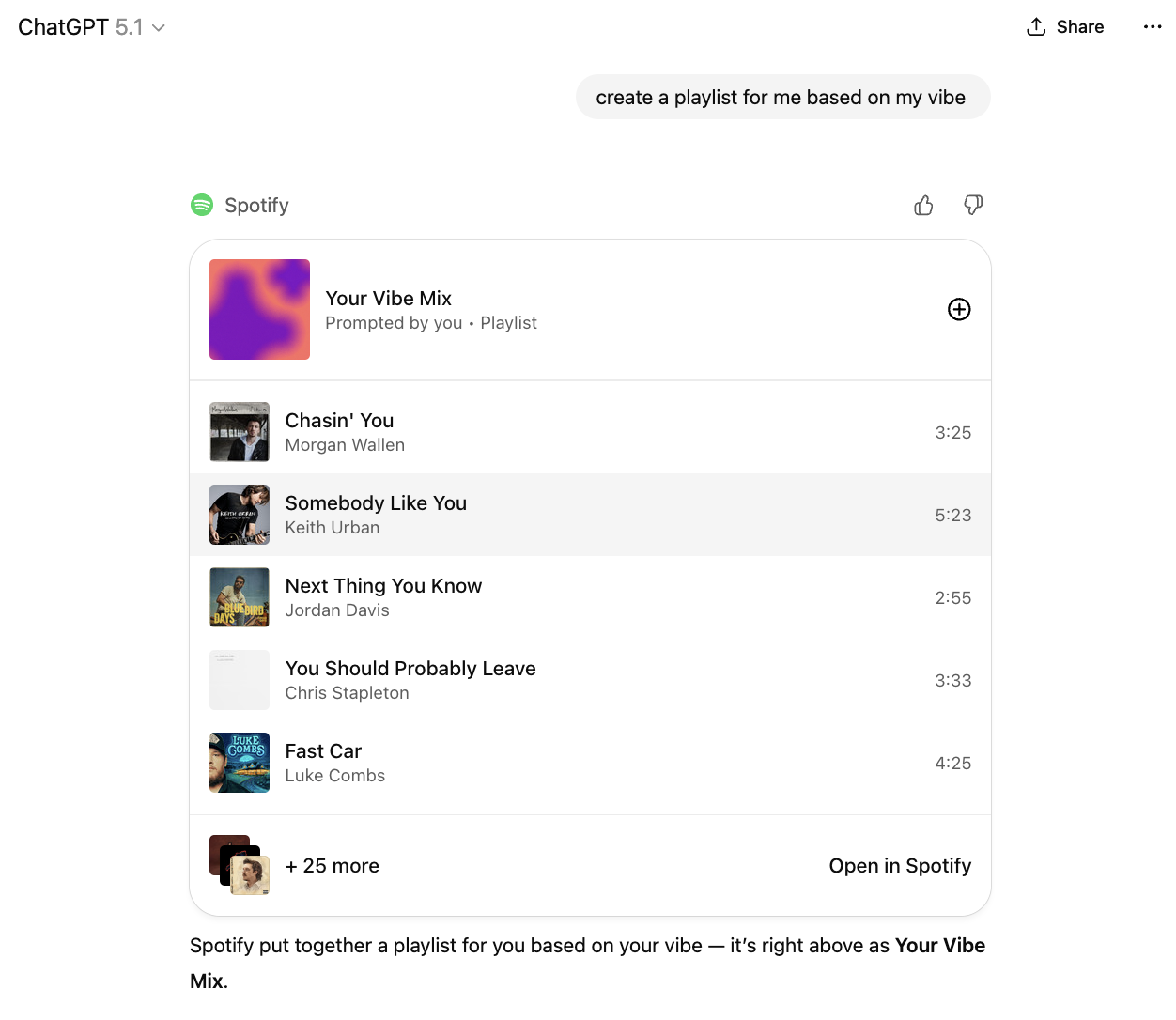
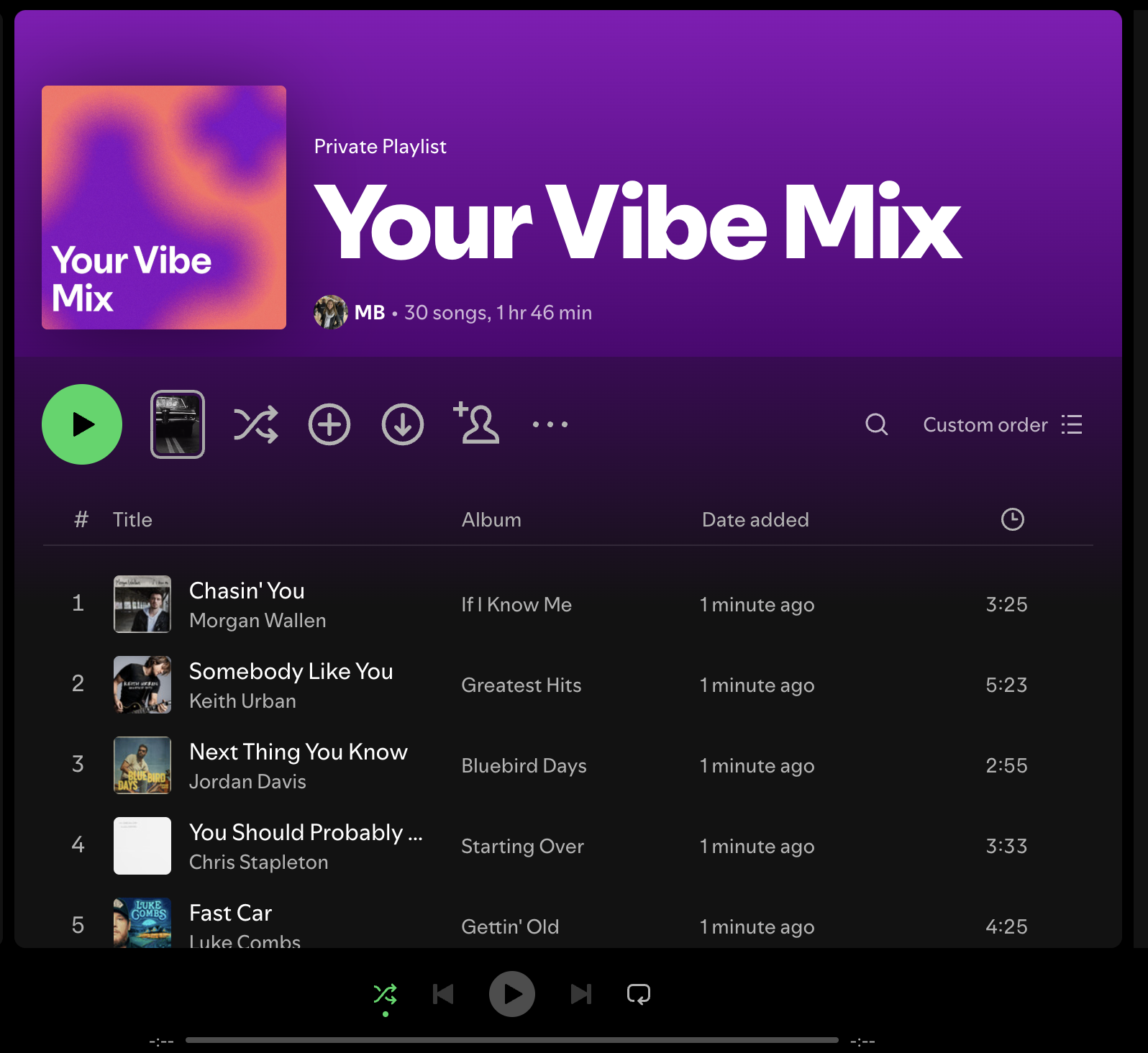
Playlists created within Spotify are private by default and include cover art.
In addition to playlists, you can also add individual artists, songs, or albums to your library:
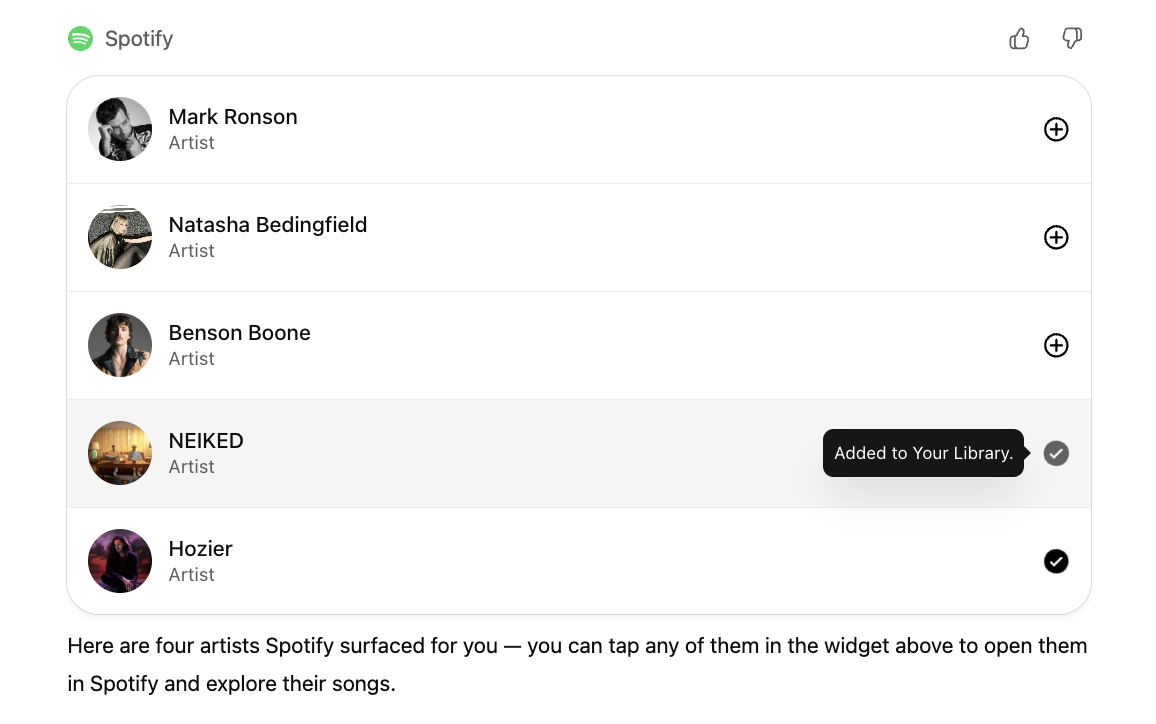
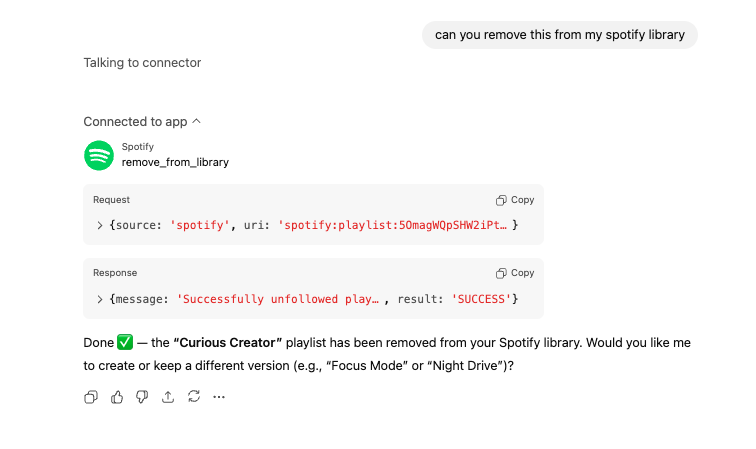
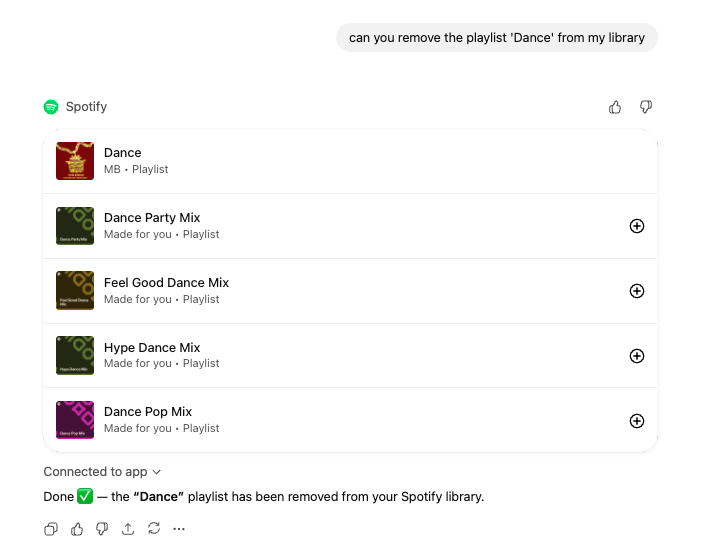
Under the hood, Spotify uses a few sub-tools (add_to_library, fetch_tracks and remove_from_library) to make these actions work.
Interestingly, those controls aren't tightly locked down yet. You can sometimes call them from ChatGPT itself, even outside the official widget and with playlists that weren't created by the OpenAI App:
What the Spotify ChatGPT App Doesn’t Do (Yet)
For now, Spotify’s ChatGPT App is focused squarely on music. It doesn’t support:
- Audiobooks or chapters
- Podcast sorting or podcast playlist creation
- Playback or queue controls
- Any language other than English
You also need an existing Spotify account to use it.
Spotify’s own metadata hints at where their ChatGPT App could go in the future: longer-term listening analytics, more complex search (“find the newest episodes from my favorite true crime shows”), and potentially playback control once voice integrations mature.
For now, the ChatGPT App doesn't support audiobooks or audiobook chapters, and has more limited functionality for podcasts (e.g. can't create podcast playlists or sort/filter by duration) than for other media types.
It's also only available to users with existing Spotify accounts, and only works for prompts written in English.
How Spotify and OpenAI Collaborate
Spotify says results “reflect the user’s Spotify activity and preferences where possible.” In practice, OpenAI sends Spotify a structured prompt, and Spotify combines it with your listening data to generate recommendations.
How much personalization you get depends a lot on how you and ChatGPT frame that prompt. Here are two examples.
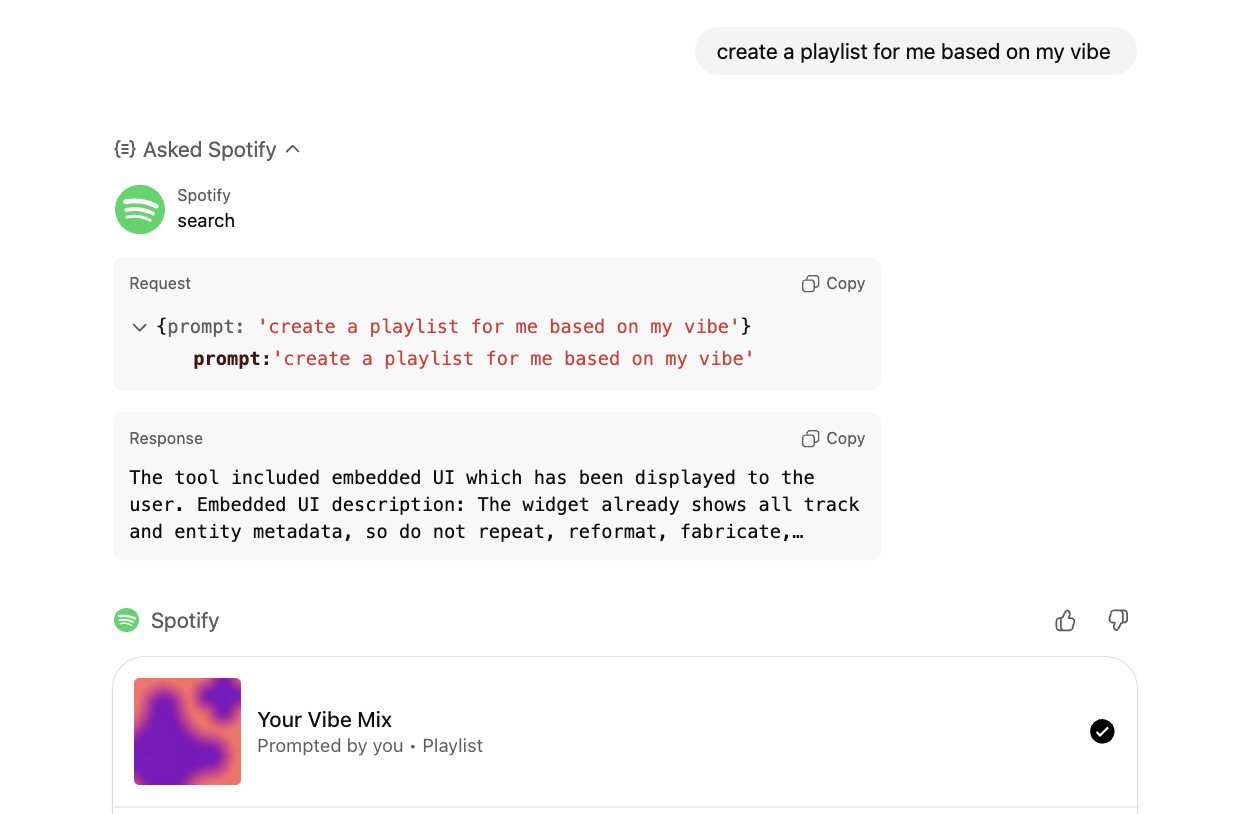
Prompt A: "Create a playlist based on my vibe"
ChatGPT passes along the prompt to Spotify almost verbatim, and the results are generic or somewhat personalized based on Spotify listening history.
Prompt B: "Make me a playlist based on what you know about me"
ChatGPT invokes memory to provide more context on the user's interests and recent conversations (in this case, a strong interest in travel based on testing the Booking.com and Expedia OpenAI Apps). The results are far more creative, customized, and adventurous:
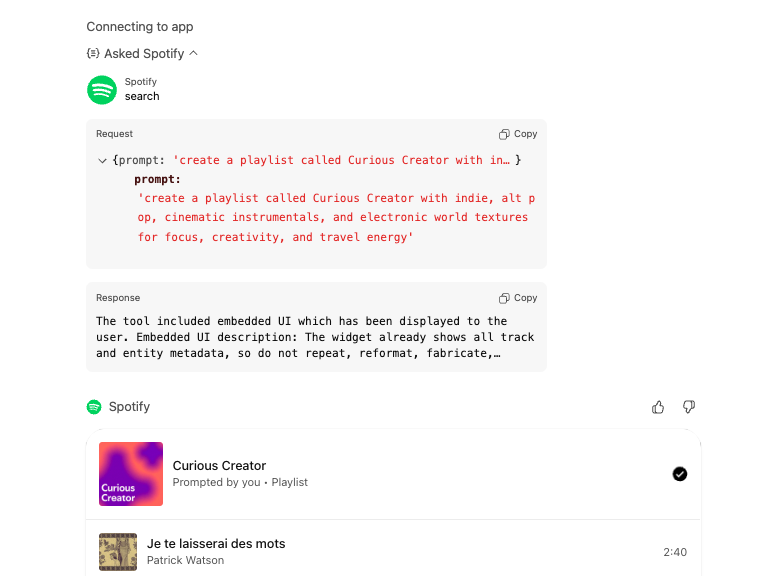
That second example hints at where things are headed: ChatGPT Apps that blend real user data with contextual memory to deliver more personalized results. It’s a promising direction, but also a complicated one.
App creators like Spotify first need to preserve users' privacy and ensure they don't unintentionally 'overshare' personal or proprietary data with ChatGPT.
Then, they also need to determine how much to trust what ChatGPT “knows.” ChatGPT’s memory might reflect recent conversations or inferred preferences, but it’s not always grounded in verified behavior. This could help Spotify unlock a new level of personalization, or it could lead well-honed recommendation algorithms astray.
Figuring out how to use that context responsibly will be key as these integrations mature.
Spotify ChatGPT App Review: In Summary
When you prompt it well, the Spotify ChatGPT App feels genuinely helpful. Asking ChatGPT to recall your taste first (“What kind of music do I usually listen to?”) before invoking Spotify often produces better, more aligned playlists.
It can also pull light analytics, like your most-played artist this month or your recent listening trends.
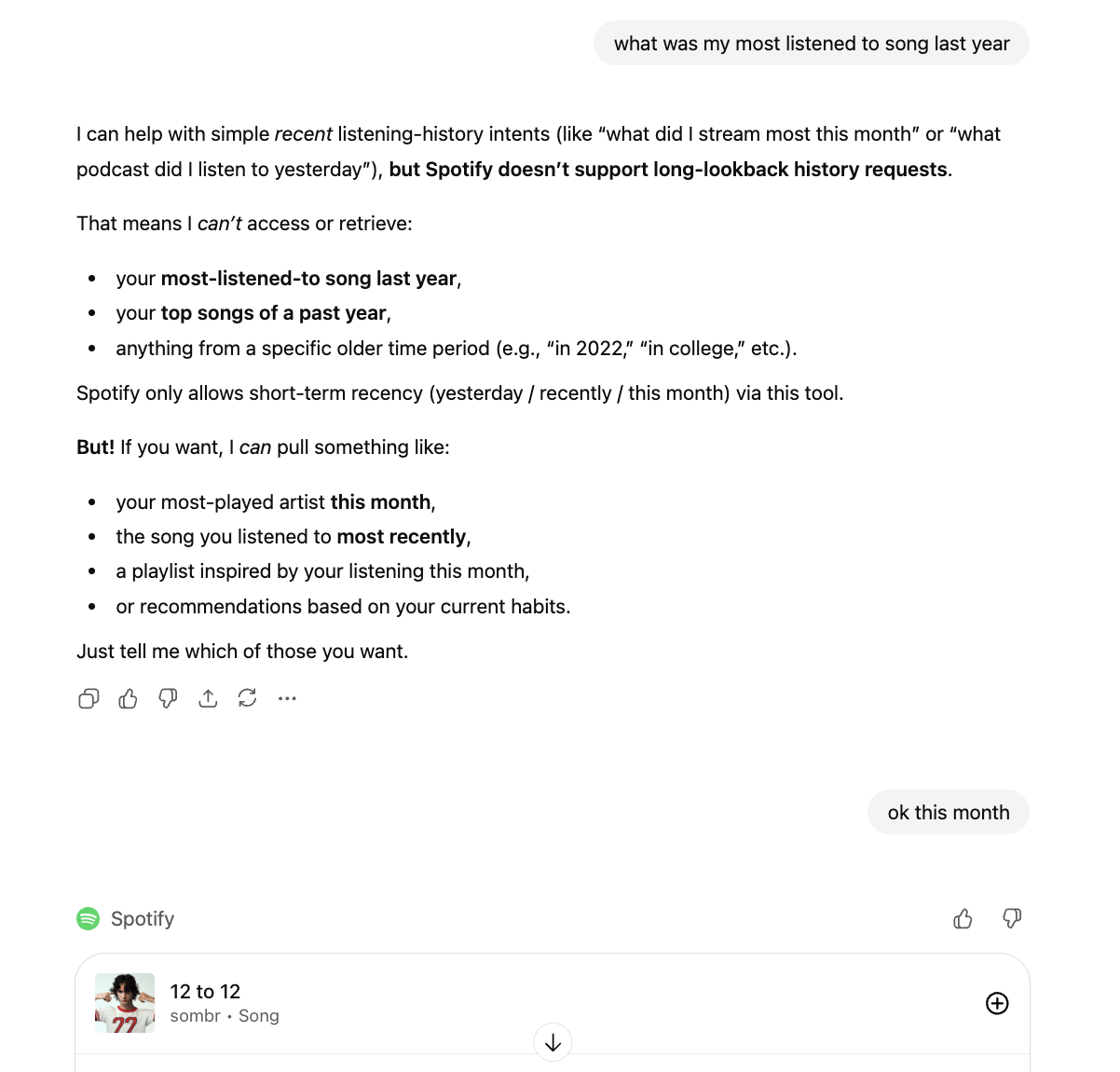
It’s not Wrapped-level analysis, but it’s a glimpse of how ChatGPT could easily become an insights layer for your streaming habits in the future.
Another interesting future direction would be if Spotify adds playback controls. If ChatGPT becomes your daily assistant, especially in hands-free settings like driving, music is a natural fit. Imagine saying “Play something calmer,” “Skip this track,” or “Add this to my road trip playlist,” and ChatGPT routes it through Spotify in real time.
Right now, the Spotify App is mostly a discovery tool, but one that can bring in context and personalization from your chat history; that in itself is pretty cool!
Appendix: Full Spotify ChatGPT Actions Metadata (as of 11/16/25)
search
This tool connects directly to the Spotify API and requires a valid authenticated user account (Free or Premium). All operations are personalized based on the user's Spotify listening history, saved library, and preferences. Audiobooks and audiobook chapters are not supported via this tool; for these, the response should be: "You can't search audiobooks on Spotify yet. Try the Spotify app, or search for something else."
Capabilities:
Music:
- Search and recommend: tracks, artists, albums, public playlists, user-owned private and public playlists
- Music playlist creation. Build brand new music playlists from natural language prompts that describe mood, genre, activity, event, or specific artists/tracks
- Playlists created are private to the authenticated user
Podcasts:
- Search and recommend podcast shows and episodes, by broad intent (category, topic, theme, guest, …), popularity, recency, similar podcasts
- Search episodes within a show by order, episode/season number, publish date, recency
- Search episodes from podcasts the user followed or saved
Personalization: All results reflect the user's Spotify activity and preferences where possible.
Constraints:
Prompts need to be submitted in English.
For the requests below, do not call Spotify (instead, respond with: "Spotify can't show this. Try asking for something else"):
- Requests based on harmful or inappropriate images (e.g., Generate a playlist from an explicit photo)
- Concert searches or recommendations (e.g. "Find all of Daft Punk's tour dates from 2007")
Operations:
Only search and playlist creation are supported. Playback and all other Spotify features are unavailable.
- Podcast or song creation requests (e.g., "Make me a podcast", "Make me a song")
- Requests for creating podcast playlists (e.g. "Make me a playlist of my favorite podcast episodes")
Limitations:
Library requests:
- Simple pulls from the user's library are supported: "show my liked songs", "show my followed artists", "show my followed podcasts", "show me podcasts that I saved in my library"
- Simple library-scoped queries are supported: "tracks by artists I follow", "episodes from shows I follow"
- For other library-scoped queries (e.g. "play a song I haven't heard in a while", "songs I saved but not listened to"), results cannot be guaranteed to come only from the user's saved, liked, implicit, or followed library
- If a request specifies a library scope that is not supported: treat those as a broad catalog search and respond: "I couldn't confirm this is in your library, so I've pulled in the closest matches from Spotify."
Listening history:
- Simple listening history intents with recency and topic filtering are supported (e.g. "play the podcast I listened to yesterday", "play the true crime podcast I was listening to recently", "play the artist I streamed the most this month")
- Asking for content similar to what was previously listened to is also supported (e.g. "play a podcast similar to the one I listened to yesterday")
- More granular and long lookback listening history intents are not supported (e.g. "What songs did I listen to in 2020")
Podcast search doesn't support:
- Filtering episodes by length or duration (e.g., "episodes about AI that are over 2 hours"), or by language (e.g. "podcasts with episodes in Spanish and French")
- Multi-entity podcast similarity (e.g. "find podcasts similar to 'The Daily' and 'Stuff You Should Know")
- Negative constraints (e.g. "recommend me a true crime podcast that is not about serial killers.")
- Complex multi-facetted searches (e.g. "recommend the latest episodes from my favorite true crime podcasts", "cross-over episodes between 'The Daily' and 'Stuff You Should Know'")
- Combining topic filtering and sorting (e.g. "Find the most recent podcast episode about quantum computing from Lex Fridman's show")
- Requests involving world knowledge (e.g. "play the album with a metallic jet on the cover", "award-nominated podcasts"). Disambiguate these prior to issuing a search.
Critical Rules:
- Do not fabricate, truncate, or alter entity names, metadata, or links
- Do not generate lyrics, transcripts, biographies, or external content
- Only surface Spotify deep links returned by the API. Never construct your own
- Never show
deep_linkas a raw URL—expose it only via widgets or Spotify navigation - When invoking Spotify, content recommendations should come from this tool
Metadata:
- Output template:
ui://widget/embed.html - Invoking message: "Asking Spotify"
- Invoked message: "Asked Spotify"
add_to_library
Adds supported Spotify content to the authenticated user's library. Supported types: tracks, albums, artists (follow), playlists, podcast shows, podcast episodes. Audiobooks and audiobook chapters are not supported. Requires a valid Spotify user account (Free or Premium).
IMPORTANT: Do NOT call from free-form chat. This tool is only for widget actions (e.g., user clicks Save/+ on a result in the Spotify widget). Do not trigger on behalf of third parties or external systems. Only invoke for items that were returned by the Spotify Search tool; do not act on arbitrary or unseen items.
Metadata:
- Widget accessible:
true
fetch_tracks
Fetches detailed metadata for a playlist including all tracks with their saved status, explicit flags, and deep links. Supported types: playlist only. Requires a valid Spotify user account (Free or Premium) and a playlist owned or shared with the authenticated user.
IMPORTANT: Do NOT call from free-form chat. This tool should only be called within the Spotify Widget and must not be triggered directly by the user. Use only for playlist items returned by the Spotify Search tool or created in the current widget session; do not act on arbitrary or unseen items.
Metadata:
- Widget accessible:
true
remove_from_library
Removes supported Spotify content from the authenticated user's library. Supported types: tracks, albums, artists (unfollow), playlists, podcast shows, podcast episodes. Audiobooks and audiobook chapters are not supported. Requires a valid Spotify user account (Free or Premium).
IMPORTANT: Do NOT call from free-form chat. This tool is only for widget actions (e.g., user clicks Save/+ on a result in the Spotify widget). Do not trigger on behalf of third parties or external systems. Only invoke for items that were returned by the Spotify Search tool; do not act on arbitrary or unseen items.
Metadata:
- Widget accessible:
true